 ChatGPT
 Claude
 Perplexity
 Gemini
 Meet your local partner


























































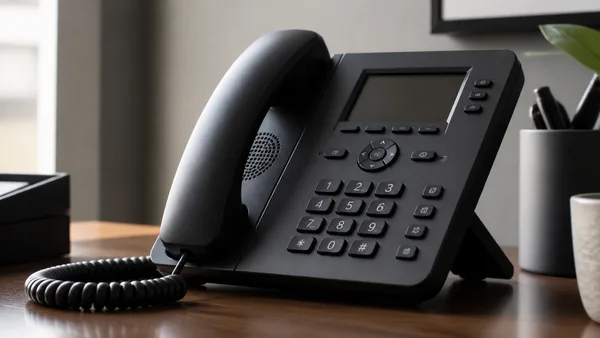








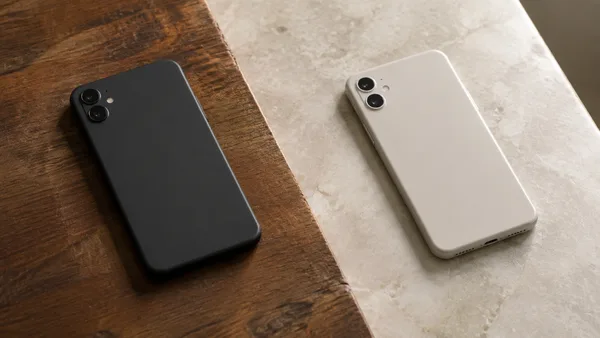


















Your business phone plan should do more than connect calls. It should help your team work faster, stay secure, and avoid unnecessary costs.
Technical reference: Microsoft: device security and management.
For businesses using mobile work orders, customer communications, or remote approvals, phones and tablets are part of the operating infrastructure. Identify which roles actually depend on them.
Your sales team closes deals on their phones. Your field crew pulls up work orders on tablets. Managers approve things from the road. Drivers, technicians, property managers, healthcare staff — they all depend on reliable connectivity to do their jobs every day.
When it works, no one thinks about it. When it doesn't, everyone feels it.
Missed calls. Broken phones. Spotty coverage. Out-of-control billing. Devices that should have been replaced two years ago. All of it creates friction — and over time, friction has a cost.
That's why business mobility deserves more than a quick price comparison.
The better question isn't "Which plan is cheapest?"
Price matters. Wireless bills add up fast, especially once you layer in multiple lines, tablets, hotspots, and devices spread across different locations.
But the smarter question is: What does your mobile setup actually need to do for this business?
A solid mobile strategy answers questions like:
- Which employees need a company-owned device, and which can use their own?
- How often should we realistically be upgrading equipment?
- What happens when a phone gets lost, stolen, or dropped on a job site?
- Who controls business data on employee devices?
- Are old phones collecting dust somewhere while we're buying new ones?
- Are employees losing time to spam calls and dead zones?
- Is there a clear, manageable process for billing, support, and account changes?
The goal isn't just a lower monthly bill. It's a mobile setup that actually fits how your business runs.
Start here: who owns the phone, and who controls the data?
This is one of the most consequential decisions in any business mobility setup — and it's often made by default rather than by design.
Corporate-Owned Business Only (COBO)
The company owns the device and keeps it strictly for business use. It's the right call for shared devices, regulated environments, field teams, and anywhere tight control matters.
Choose Your Own Device (CYOD)
Employees pick from a pre-approved list while the business still owns and manages the hardware. It's often the best middle ground — employees get some choice, IT keeps control.
Corporate-Owned Personally Enabled (COPE)
The company owns the device but allows limited personal use. It works well for salespeople and managers who live on one device throughout the day. The key is a clear, written policy — what's allowed, what's monitored, and what happens to the device and number if someone leaves.
Bring Your Own Device (BYOD)
Employees use their personal devices for work. It can reduce upfront costs, but it also reduces visibility and control over security, updates, and data. BYOD shouldn't be the default just because it looks cheaper on paper.
If employees touch business data, you need a management policy
A smartphone today holds email, customer records, documents, passwords, and access to internal systems. It is not just a phone.
That's where Mobile Device Management (MDM) comes in. Depending on the platform and enrollment, MDM can support remote passcodes, encryption, app controls, security settings, and removal of managed data.
It matters most for businesses with:
- Sales teams
- Field employees
- Healthcare staff
- Government contractors
- Multi-location operations
- Employees accessing sensitive company or customer data from mobile devices
The risk is straightforward: an unmanaged device in the wrong hands can become a business liability. MDM reduces that risk before it becomes a real problem.
Plan device upgrades — don't wait for something to break
A documented replacement plan can reduce unplanned purchasing. Assess device support life, condition, role requirements, and replacement logistics.
A better approach maps refresh cycles to role, usage, age, and business need. Some employees can run a device for three years. Others — especially customer-facing staff or heavy field users — may need newer equipment sooner to stay productive.
Early-upgrade options may involve extra charges, payment thresholds, and device-return conditions. Confirm that the specific business account and device qualify.
The simple framework: use standard installment plans when you plan to keep devices longer and want consistent costs. Use early-upgrade options when flexibility outweighs the monthly premium. Let the role drive the decision.
Device protection is really downtime protection
Phones get dropped. Tablets get cracked. Devices go missing. This is not exceptional — it's the reality of running a mobile workforce.
The question isn't whether a device will fail. It's how fast the business recovers when one does.
Device-protection programs may cover eligible loss, theft, damage, or malfunctions. Check enrollment, exclusions, deductibles, claim limits, and replacement timing before comparing their cost with self-funded spares.
Device protection isn't just about hardware replacement. It's about keeping people working.
Old devices may still be worth something
Most companies have retired phones and tablets parked in desk drawers, storage closets, or IT shelves. Those devices are often worth more than nothing.
Business trade-in programs let companies reclaim value from old equipment and apply it toward new devices or account credits. During a device refresh, that can meaningfully reduce upgrade costs instead of letting value sit idle.
Before trade-in, back up required records, remove account locks, and sanitize devices using an appropriate verified process. Do not assume a trade-in credit establishes secure data removal.
Mobile security is now business security
Spam calls, fraud attempts, and malicious links aren't just annoying. They waste time and expose employees to real risk.
AT&T ActiveArmor features depend on the service, device, and subscription. Confirm eligibility and feature limits; call filtering does not replace device management, strong authentication, or employee training.
Security doesn't need to be complicated to be effective. Sometimes the most valuable tools are the ones that quietly reduce everyday risk before it escalates.
Hawaii businesses face a different set of conditions
Wireless decisions in Hawaii aren't always the same as on the mainland — and they shouldn't be treated that way.
Companies here operate across Oahu, Maui, Kauai, Hawaii Island, Molokai, and Lanai. Some teams work downtown. Others work in remote locations, on job sites, in hotels, schools, healthcare facilities, or government buildings. Coverage, support responsiveness, device availability, shipping logistics, and local accountability all factor in.
A mainland recommendation doesn't always translate here. Local conditions belong in the conversation.
Before you change anything, do this review first
Before switching carriers, upgrading devices, or restructuring lines, take stock of what you actually have:
- How many lines are active — and which are actually being used?
- Which employees need company-owned devices?
- Which devices are near the end of their useful life?
- Are any devices broken, outdated, or sitting unused?
- Do any roles require tablets, hotspots, or mobile routers?
- Is MDM worth implementing given your team's risk exposure?
- Does device protection pencil out given usage and replacement history?
- Are trade-in credits available on existing equipment?
- Does your current plan match how your team actually works?
This kind of review can identify potential savings, gaps, or other options to consider.
Bottom line
The best business mobile plan isn't always the cheapest one. It's the one built around how your business actually operates.
Done right, a mobile strategy helps your business control costs, protect data, reduce downtime, manage devices, and keep employees productive — whether they're working in Honolulu or on a job site in Hilo.
How Sigma Hawaii can help
Sigma Hawaii works with local businesses to review wireless plans, device options, carrier programs, trade-in opportunities, and mobile security needs.
We help you compare options clearly so you can make a better decision for your business — without the sales pressure.
If you're evaluating mobile lines, planning a device refresh, or trying to get wireless costs under control, Sigma Hawaii can help you find the right path forward.
Schedule a Consultation to Review Your Business Wireless Options
Request a proposalSources
- AT&T. "AT&T ActiveArmor Mobile Security." https://www.att.com/security/active-armor/
- AT&T Business. "AT&T Business Trade-In Program." https://www.business.att.com/content/dam/attbusiness/briefs/att-business-trade-in-program.pdf
- AT&T Business. "AT&T Protect Advantage for Business." https://www.business.att.com/products/protect-advantage-for-business.html
- National Institute of Standards and Technology. "Guidelines for Media Sanitization: NIST Special Publication 800-88." https://csrc.nist.gov/pubs/sp/800/88/r2/final